Template Overview
We try and will continue to make our template the more readable and easy to integrate.
Folder Structure
- components
- context
- graphql
- helpers
- locales
- modules
- pages
- public
- styles
- themes
Components
A Component is one of the core building blocks of React. In other words, we can say that every application you will develop in React will be made up of pieces called components. Components make the task of building UIs much easier. Components let you split the UI into independent, reusable pieces, and think about each piece in isolation.
Link to Components details
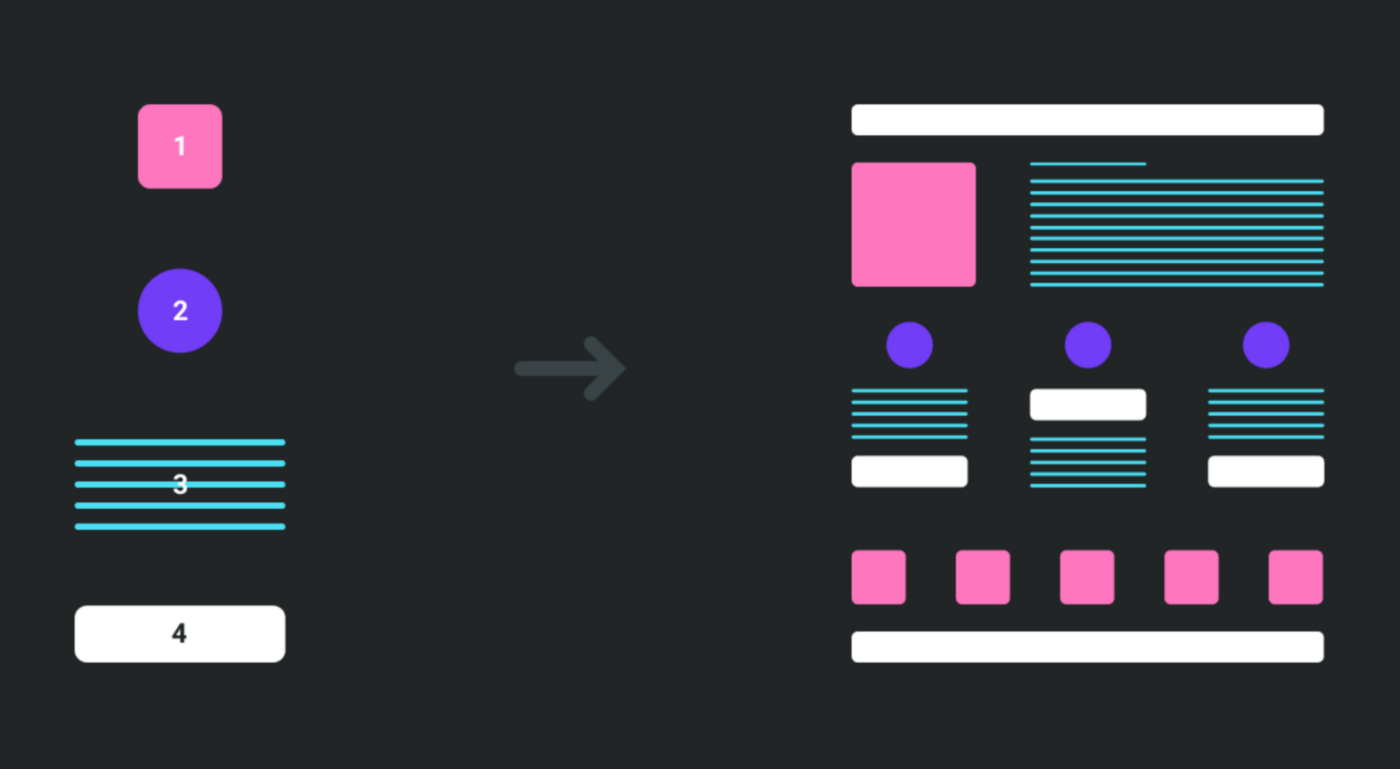
So the components folder is where all your React Components should go. There is tree sections in it :
- dumb
- smart
- layouts
Dumb / Stateless / Presentational Component
🦄 Dumb components focus on how things look.
- Dumb components are also called ‘presentational’ components because their only responsibility is to present something to the DOM. Once that is done, the component is done with it.
- There will be no logic at all inside this component therefore it is called a dumb component. Because dumb components only focus on the presentation (UI Component), it is ideally the most reusable component.
- This component is often just Javascript functions and only has a render() method. It also does not have any state or lifecycle hooks. However, it still can receive some data and function from the parents via props.
Smart / Stateful / Container Component
🤓 Smart components focus on how things work.
- Smart components (or container components) on the other hand have a different responsibility. Because they have the burden of being smart, they are the ones that keep track of the state and care about how the app works.
- Manipulates Data: Smart components can fetch, capture changes and pass down application data.
- Call Lifecycle methods, APIs, Libraries, etc: These components are called smart for a reason! They are responsible for calling libraries and functionality.
- Manage state: Smart components are responsible for managing state and knowing when to re-render a component.
Layouts
Those components does exactly what its name says. It defines the layout of the application. It simply accepts children as props and render them to the DOM together or without other child components. Because Layout component is so simple, it can be re-used in other parts of application, where a developer wants to use the same page layout. Moreover, it's possible to create your own reusable layout.
Context
Context provides a way to pass data through the component tree without having to pass props down manually at every level.
In a typical React application, data is passed top-down (parent to child) via props, but such usage can be cumbersome for certain types of props (e.g. locale preference, UI theme) that are required by many components within an application. Context provides a way to share values like these between components without having to explicitly pass a prop through every level of the tree.
GraphQL
This folder holds all graphQL queries and mutation for getting data from back-end.
Learn more about queries and mutation
Helpers
As is the name suggests, it's store all utils and types that will help you reused already made logics or types.
Locales
The locales folder stores all translations for internationnalization.
Find more about internationnalization
Pages
This is the default folder for pages in a NextJS project.
Discover all about NextJS pages
Public
Next.js can serve static files, like images, under a folder called public in the root directory. Files inside public can then be referenced by your code starting from the base URL (/).
Style
The style folder only holds the app CSS style.
Themes
Themes folder store LESS files that aim to customize the dark or light themes properties of cella application. This is the next step that you will learn in the next page.